
Passage
Passage: gay chat that feels personal
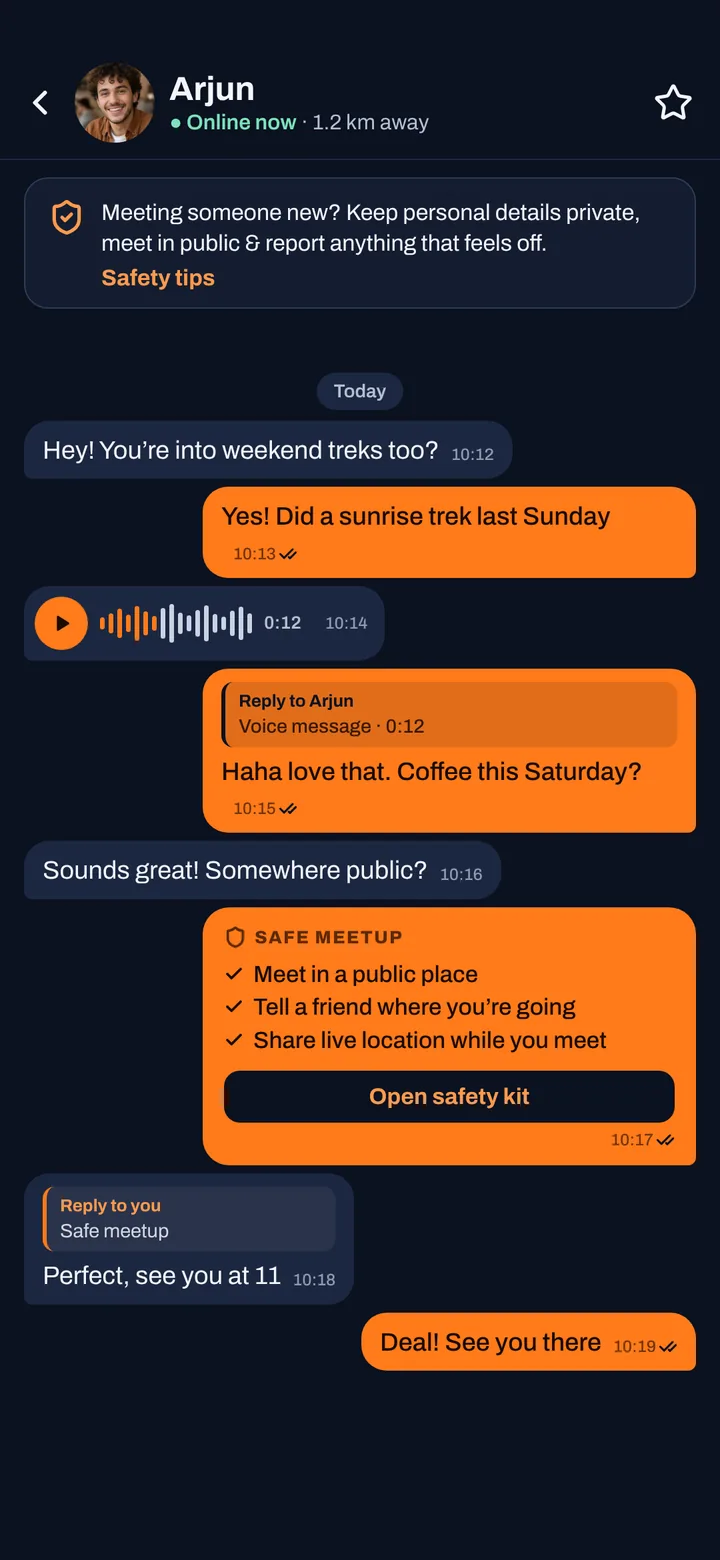
Passage is where conversations happen. Send messages, voice notes and photos, reply to a specific message and see when it has been read, with safety tips built right into the chat.
- Messages, voice notes & photos
- Private albums with view-once photos
- Share live location when you meet
- Reply-to-message & read receipts
How to use Passage
- 1
Start a chat
Tap Chat on any profile or Right now post. All your conversations live in the Passage tab.
- 2
Say more than text
Send photos and voice notes. Pause, preview and re-record a voice note before you send it.
- 3
Reply in context
Reply to a specific message so the conversation stays clear, and see read receipts when your message has been read.
- 4
Share when ready
Share a private album (with view-once photos) or your live location only when you choose to.
Private by design
Zynger blocks screenshots on every screen, and you decide how visible you are in Passage.
All privacy & safety tools- Screenshots are blocked in every chat.
- Private album photos can be view-once.
- Live location is only shared when you start it.
- Report or block from inside the chat.
Passage: common questions
Try Passage on Zynger
Gay dating & chat for men 18+. Android, live in India & 20+ countries.
Get Zynger on Google PlayMore Zynger features
Orbit
Meet gay men near you
Orbit shows gay, bi and queer men near you in a photo grid sorted by distance, with who’s online now and what each man is looking for.
Right now
Meet in the next hour
Right now is a live feed of short posts from men nearby who want to meet soon. Every post disappears after 60 minutes.
Signals
See who’s into you
Signals collects your nudges, profile views and favorites in one place, so you can see who is interested and nudge back.
Privacy & Safety
Private & discreet
Zynger blocks screenshots on every screen, offers a discreet app icon, App Lock with PIN or fingerprint, distance hiding and one-tap report & block.